Zombie Couple Video Generator
An AI video tool for your zombie love story: two photos, one final embrace, and a cut to happier memories together.
Same story. You two.
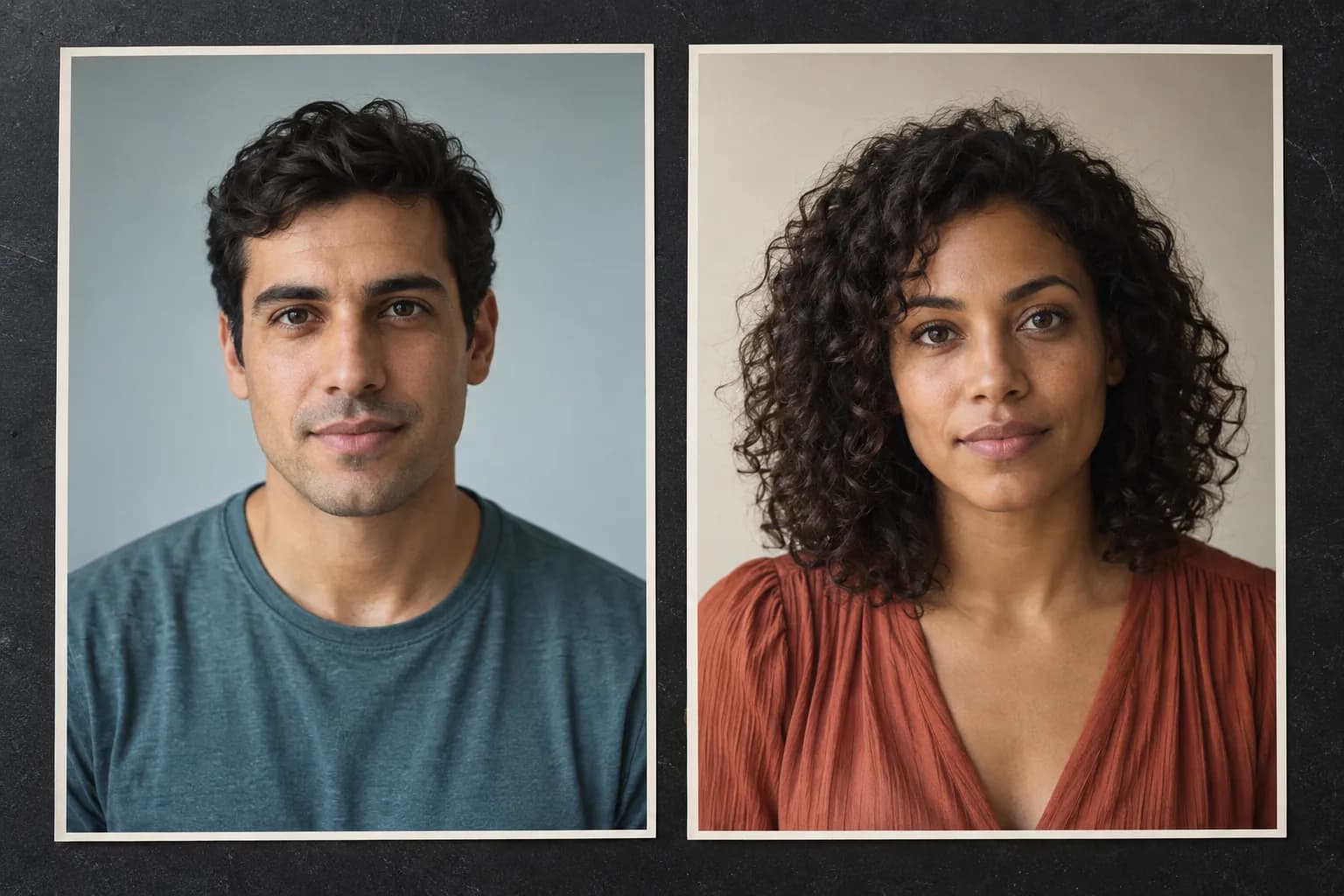
Choose one clear portrait for each role. The first photo is the person holding the gun; the second is the infected person. Your two faces carry through the story.
You can prepare your cast. Photos stay on this device until you generate.
Try photo selection now. Selecting photos does not upload them or use credits.
How it works
How to use the Zombie Couple Video Generator
Choose two photos, decide who becomes the zombie and generate a complete love story for 100 credits. Check your cast and swap roles for free before submitting.
Check your cast first
Use two separate portraits that you have permission to use. A clear view of each face makes it easier to recognize the people in the preview. The illustration shows the kind of inputs to prepare, not an output from this website.
1. Choose two clear photos
Select one clear portrait for each person. Both faces and hairstyles come from these photos throughout the story. The apocalypse also uses their uploaded clothes; the happy memory keeps the original film's clothes.
2. Assign the survivor and zombie
The first photo is the survivor; the second is the zombie. Use Swap roles to reverse them. Either person can take either role, regardless of gender.
3. Generate your complete video
Check the two roles and confirm you have permission to use the photos. Sign in with at least 100 credits, then create your complete video. You can close the page while it processes and find the result in My videos. No extra outfit photos or clothing options are required.
A film worth keeping. No subscription.
Basic: 100 credits. Plus: 300 credits. Pro: 800 credits. All credits never expire.
Each complete video costs 100 credits. Choose 100, 300 or 800 credits, all permanently valid. One-time payment in USD, with no subscription or automatic renewal.
The story and your files
Your photos, the original story and the music
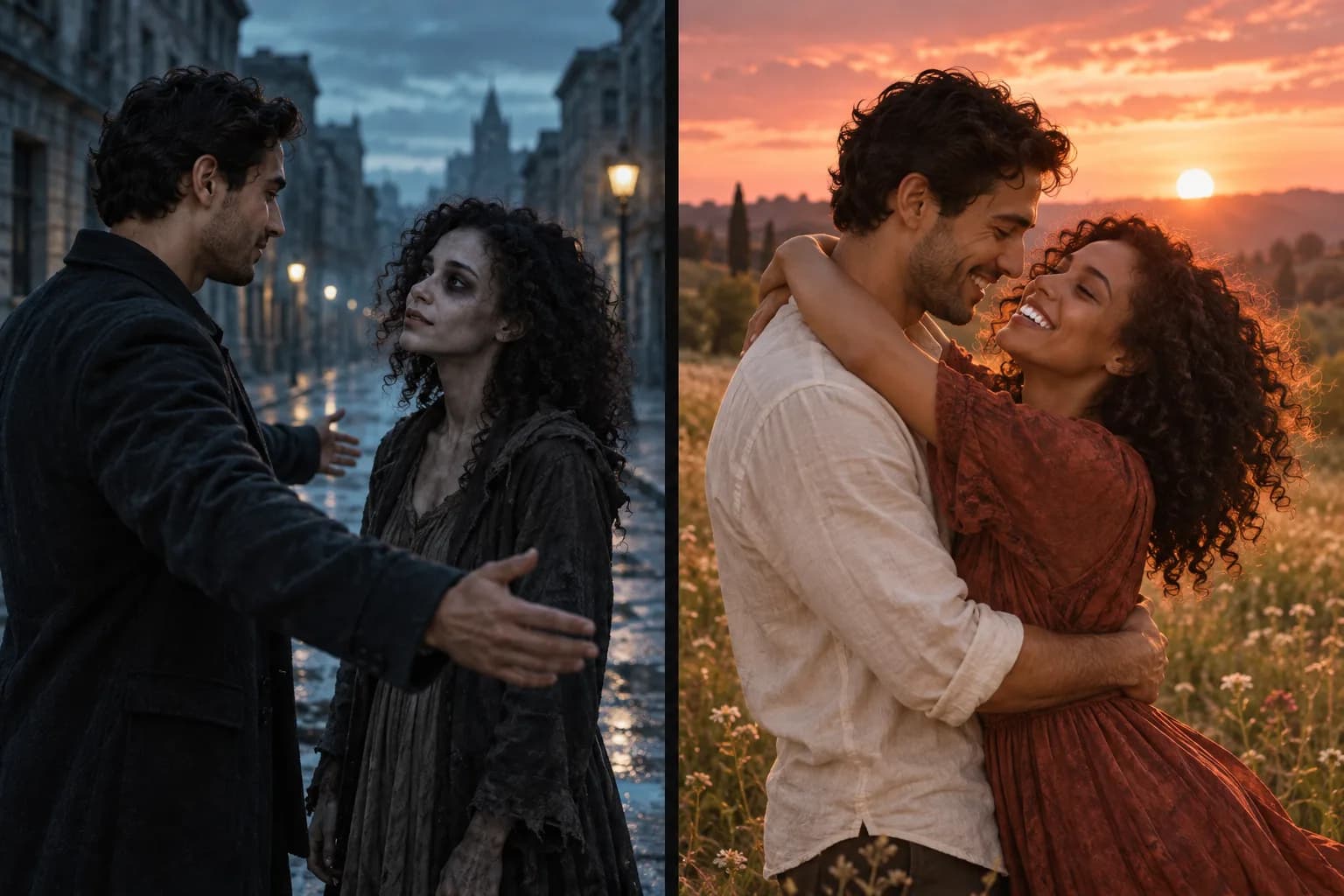
The story moves from a frightening reunion to a memory of life together. Explore the fixed sequence, the reference soundtrack and how your photos and finished videos are handled.
The details behind the film
Both people matter to the ending: the survivor and their zombie partner need to feel like the same couple in the happier memory. The illustrations below explain the story and file handling; they are not generated samples.
Before you press play
Zombie couple video questions, answered
What is the Zombie Couple Video Generator?
Zombie Couple Video Generator personalizes a fixed zombie love story with photos of two people. One partner becomes a zombie; the other lowers their weapon and opens their arms. The embrace cuts to happy memories. Choose your cast and submit one request to receive one complete movie.
Can I generate my video right now?
Yes. Sign in, choose one photo for each role and confirm that you have permission to use both photos. A complete video costs 100 credits. Photos upload only when you submit. You can leave the page while it processes and find the finished movie in My videos. If generation is temporarily unavailable, the generator shows its current status.
Will both characters be replaced?
Both characters use the faces and hairstyles from your two photos throughout the story. The apocalypse uses their uploaded clothes. In the happy memory, both characters are healthy and wear the original film's clothes. No extra outfit photos are needed. AI-generated details can vary.
Which person becomes the zombie?
You decide. The first photo is the survivor, and the second is the zombie. Use Swap roles to reverse them. Roles are not tied to gender. Both people are healthy in the happy memory; the zombie styling appears only in the apocalypse. No extra outfit photos are needed.
Does the video keep the original music?
Yes. The finished video combines the apocalypse and memory chapters with the original reference soundtrack. The edit keeps the fixed chapter lengths and original music timeline.
How long are my photos and videos stored?
Selected photos stay in your browser until you submit. Uploaded photos, derived copies and intermediate clips are retained for 7 days from the original upload. Finished videos have no automatic expiry. Contact support to request deletion.
Will I need a subscription?
No subscription is required. A complete video costs 100 credits. One-time packs are Basic USD 9.90 for 100 credits, Plus USD 19.90 for 300 credits, Pro USD 39.90 for 800 credits. These are the total credits you receive, they never expire, and there is no auto-renewal. Checkout availability is shown on the pricing page.
Are the example films generated by this website?
No. CHOICE by techmaf appears above the generator. The gallery contains separate community interpretations, including a playful animal version. They illustrate the story and editing style, not verified results or supported character types from this tool. Use the arrow in a player's corner to visit its source. Our own verified outputs will be labeled separately.
What photos should I upload?
Choose one clear photo per person with an unobstructed face. JPG, PNG and WebP are supported; convert HEIC photos first. Include the hairstyle and clothing you want in the apocalypse. Use photos you own or have permission to use, with the agreement of anyone shown. Clear inputs help, but cannot guarantee a perfect likeness.
When are credits charged, and what happens if generation fails?
Selecting photos does not spend credits. When you submit, 100 credits are reserved. They are charged only after the complete video is saved; a confirmed generation failure returns the reservation. If the provider response is uncertain, we check the existing request rather than submit another paid generation.
How long does generation take, and what if it stays processing?
There is no guaranteed completion time. Queues, safety review and generation can delay a request; safety review alone can take about an hour. Check My videos for the existing request and avoid submitting a duplicate. You can close the page while it runs. If it remains unresolved, contact support@zombie-couple.app with your account email and video reference.
How long is the finished video, and what format do I receive?
The current finished movie is approximately 17.7 seconds, delivered as a 480P MP4 with the reference soundtrack. The story length is fixed. Playback and download are available in My videos after completion.
Does the downloaded video have a watermark?
We request generation without a watermark and do not add a Zombie Couple watermark during assembly. This does not grant rights to the reference story, music or anyone pictured.
What if the faces or movements are not what I expected?
AI can change facial details, movement and expressions even with good photos. Automated checks reject some unusable results, but cannot guarantee a perfect match. A new generation is a new request costing 100 credits. For a problem with a completed result, contact support with the video reference; a free retry or refund is not automatic.
Can I share the video or use it commercially?
Check the rights to all photos, likenesses, reference material and music before publishing. Buying credits does not provide a commercial license to the original film or soundtrack. Obtain any needed permissions, follow the destination platform rules and disclose AI use when required.
I paid but my credits have not arrived. What should I do?
Credits are added after payment confirmation. Check the account used for the purchase and refresh the pricing page. Do not pay again to resolve a delay. Contact support@zombie-couple.app with the account email, payment date and order reference if credits are still missing. Never send card details or passwords.
How do I request a refund?
Email support@zombie-couple.app with the payment date, order reference and reason for the request. We investigate requests under our Terms of Service and applicable rights. A confirmed generation failure releases its 100-credit reservation; this is different from refunding a payment. No cash refund or free retry is promised automatically.
The end of the world. Your story together.
Create your zombie love story from two photos. Choose the survivor and zombie roles, sign in and generate one complete movie for 100 credits. Photo selection is free; upload begins only when you submit.